My dotfiles are mostly rules for AI agents now
I use four coding agents across a work laptop and a personal one. This is how one repo, one install script and a bunch of symlinks keep them all following the same rules.
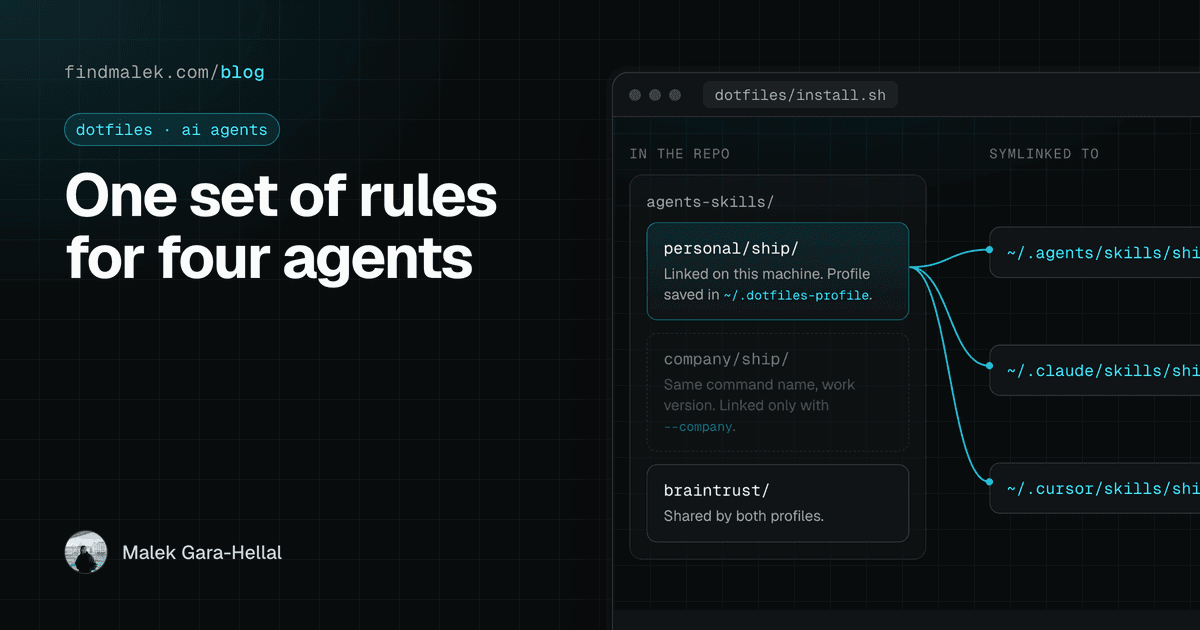
My dotfiles repo used to be a zshrc and a theme. Now most of it is instructions for AI agents.
That happened because I run four of them: omp as the daily driver, OpenCode as a fallback, Claude Code, and Cursor, which is where all of this started. Each one reads its rules from a different file in a different folder. Once I'd written "never commit or push without asking me" into one of them, I realized I'd have to write it four times. Then keep all four copies in sync. On two laptops.
So the repo stopped being about my prompt color and started being about that.
The rule I care most about#
Here's the rule every agent has to follow, word for word, whatever tool it's running in:
## Hard gate: never commit, push, or reply to reviews

Malek alone runs `git commit`, `git push`, and PR review replies. The agent
does **not**, not even when a plan, todo list, or "ship" checklist implies it.
The important part is the second sentence. Agents are great at reading a plan that says "step 6: push" and treating it as permission. The rule says only my own chat message can unlock a commit. A plan doesn't count, and neither does a ticket checklist.
In the repo it lives as claude/CLAUDE.<profile>.md, zed/AGENTS.<profile>.md and cursor/rules/never-commit-push-or-pr-replies.mdc. Same rule, three file formats, because each tool wants its own. On the personal profile, the Claude and Zed versions only differ in the title line. I checked with diff.
One skill, four thin wrappers#
Rules are the easy part. The workflows are harder. I have slash commands like /dive-ticket, /plan-ticket, /review-ticket and /ship, and some of them are 200+ lines of instructions.
I didn't want four copies of a 200-line file. So each tool gets a one-paragraph wrapper that points at a single shared skill:
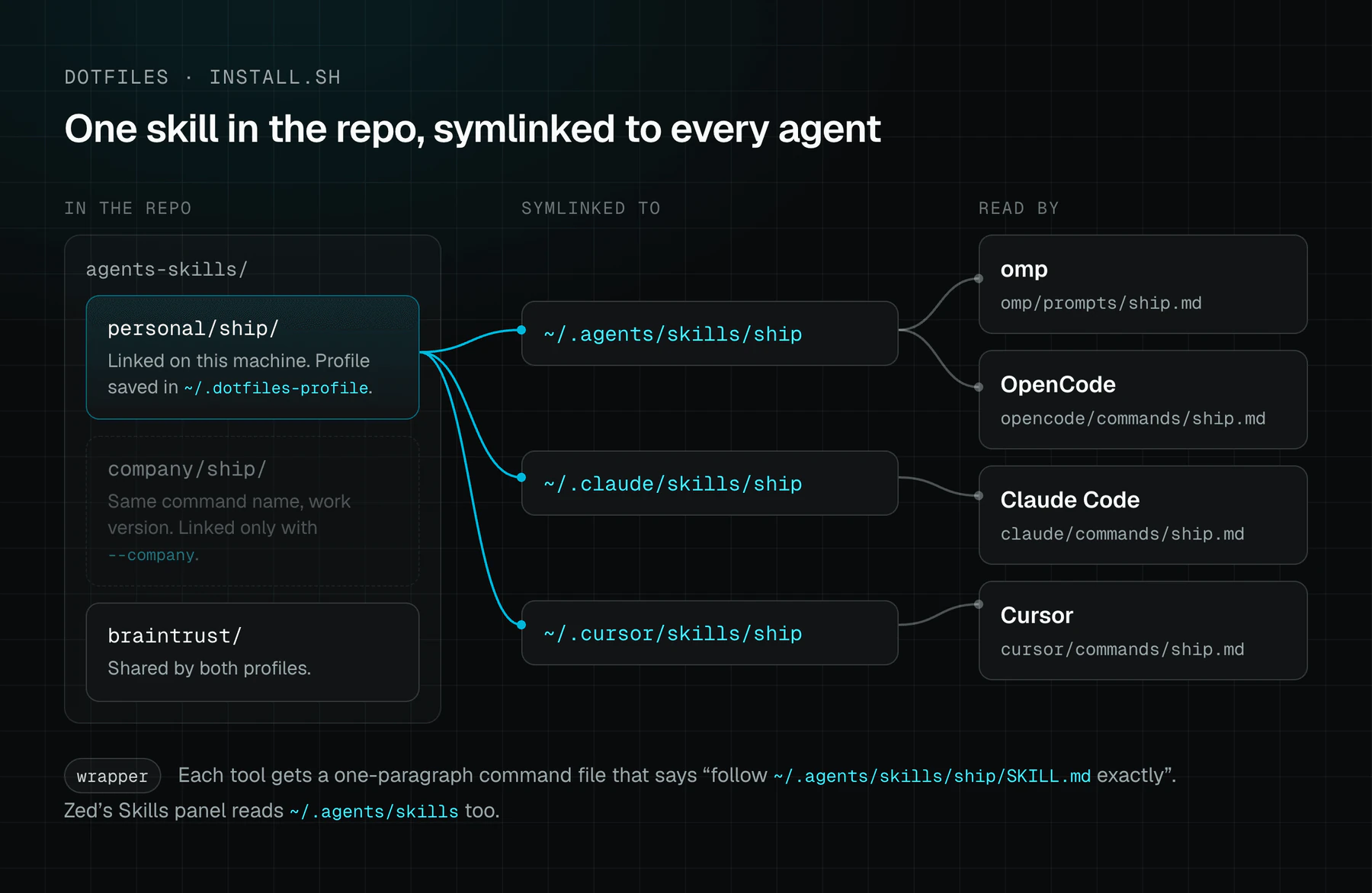
The wrapper just says what the command does and ends with "Follow ~/.agents/skills/ship/SKILL.md and ~/.agents/skills/coding-practices/reference.md exactly." The real content lives once in agents-skills/, and install.sh symlinks it into ~/.agents/skills, ~/.claude/skills and ~/.cursor/skills under the same name.
~/.agents/skills is the nice part. OpenCode, omp and Zed's Skills panel all read it, so one folder covers three tools. Cursor still wants its own folder, so it gets its own symlink to the same thing.
The wrappers aren't all identical though. The Cursor one says "Never Cursor, never a Co-authored-by Cursor trailer" because that's the file it all got ported from. The others say "never the agent's own identity". Close enough, and you can tell which one came first.
Work laptop vs personal laptop#
This is the part that actually made me restructure the repo (PR #1).
The same commands have to behave differently depending on the machine. At work, tickets live in ClickUp, branches come from ticket IDs, and PR titles carry the ticket prefix. On my personal machine everything is GitHub issues and Projects: branches always come from gh issue develop <n> --checkout so they auto-link, and PR titles are just a plain description.
I didn't want two sets of commands. The fix was to keep the command names and wrappers the same on both profiles and split only the content behind them:
agents-skills/
  braintrust/           # shared, same on both machines
  company/ship/         # the work version
  personal/ship/        # the GitHub-issues version
Both end up linked to ~/.agents/skills/ship. So /ship is always /ship, and what it does depends on which folder got linked. Same idea for configs: zed/settings.company.json and settings.personal.json, omp/mcp.company.json and mcp.personal.json, and so on. According to the PR description, most of the difference is whether the work tracker's MCP server is wired in and which coding-practices doc the agent reads. The personal omp MCP config is literally just Braintrust and Playwright.
Cursor rules use a suffix trick because Cursor wants a flat folder of .mdc files. coding-practices.personal.mdc gets linked in as coding-practices.mdc, and the company one only gets linked on the work machine:
case "$base" in
  *.company.mdc)
    [ "$PROFILE" = company ] && link "$f" ~/.cursor/rules/"${base%.company.mdc}.mdc"
    ;;
  *.personal.mdc)
    [ "$PROFILE" = personal ] && link "$f" ~/.cursor/rules/"${base%.personal.mdc}.mdc"
    ;;
  *)
    link "$f" ~/.cursor/rules/"$base"
    ;;
esac
How install.sh picks a profile#
The first thing install.sh does is work out which machine it's on. It checks, in this order: a --company or --personal flag, then a DOTFILES_PROFILE env var, then whatever was saved in ~/.dotfiles-profile last time. If there's still no answer and there's a terminal, it asks with a bash select menu. If there's no terminal (say it's running from a provisioning script), it defaults to personal and tells you how to override that.
Then it writes the answer back to ~/.dotfiles-profile, so it only ever asks once.
The rest of the script is built around one tiny function:
link() {
  local src="$1" dst="$2"
  mkdir -p "$(dirname "$dst")"
  if [ -e "$dst" ] && [ ! -L "$dst" ]; then
    mv "$dst" "$dst.bak.$(date +%s)"
    echo "  backed up existing $dst"
  fi
  ln -sfn "$src" "$dst"
}
If a real file is already sitting there, it gets moved to .bak.<timestamp> instead of deleted, and .gitignore ignores *.bak.*. If it's already a symlink, it gets replaced. That's what makes re-running the script safe.
There's a matching try wrapper for the installer steps (Homebrew casks, mise, the curl installers for each agent), so one flaky download doesn't kill the whole run. The linking is what actually matters, so that always runs.
The bit I like most is the cleanup when you switch profiles. The company profile has a pr-preview skill the personal one doesn't. If I flip a machine to personal, the script goes through the other profile's skills and removes any symlink that doesn't exist in the current one:
for d in "$BASE"/agents-skills/"$OTHER_PROFILE"/*/; do
  name="$(basename "$d")"
  [ -e "$BASE/agents-skills/$PROFILE/$name" ] && continue
  [ -L ~/.agents/skills/"$name" ] && rm -f ~/.agents/skills/"$name" ~/.claude/skills/"$name" ~/.cursor/skills/"$name"
done
Without this, a work-only skill would just keep sitting on my personal setup forever.
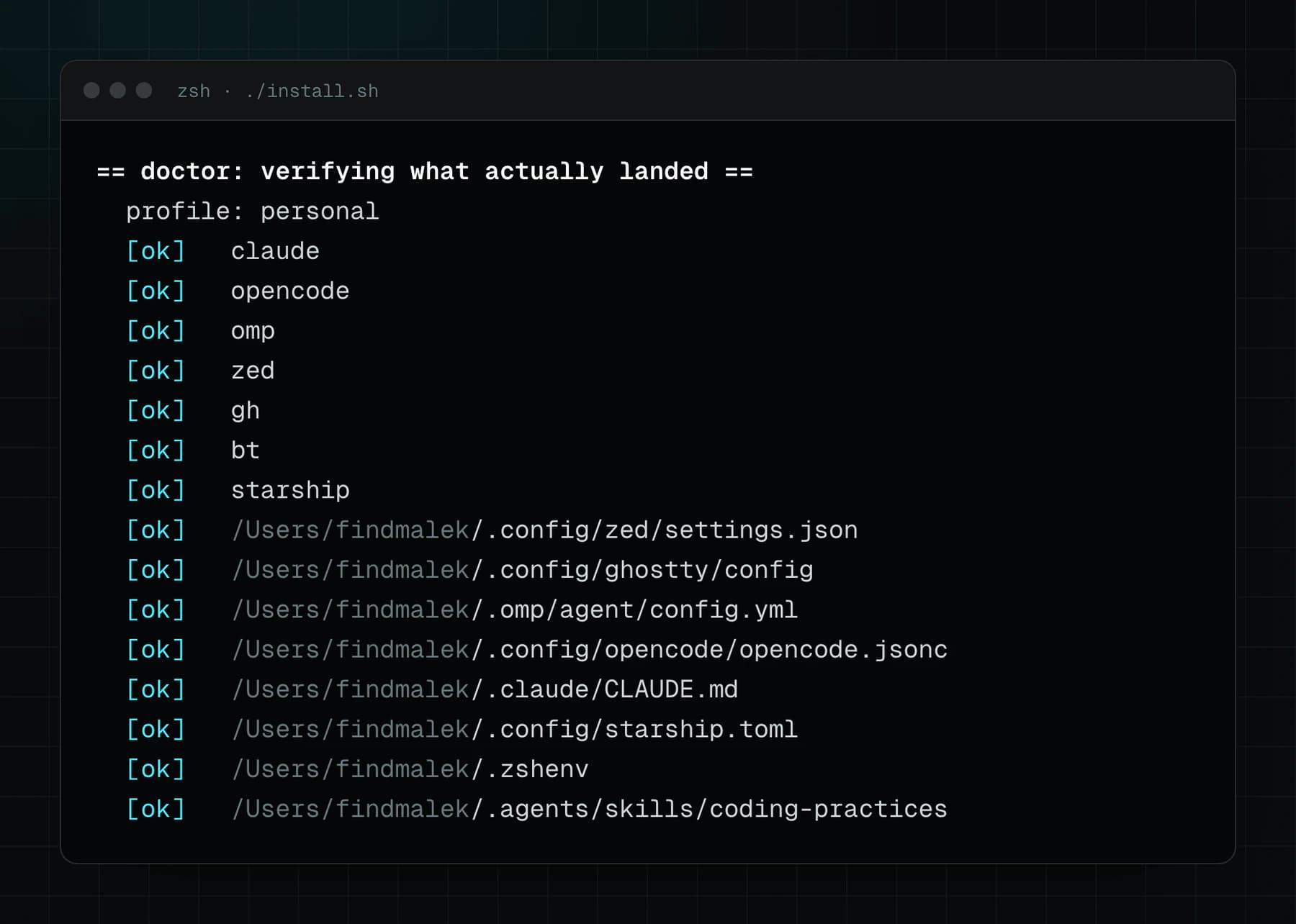
At the end it runs a "doctor" pass: it checks that every binary is on PATH and every important symlink resolves. It prints [ok], [MISS] or [BROKEN] -> target. Then it lists the things it can't script, like OAuth sign-ins and restarting Zed.
Here's the doctor section from a real run on my personal laptop:
The PATH bug that only agents hit#
My favorite commit in the repo is a boring-looking one: "Fix PATH gaps for non-login/non-interactive shells".
gh only resolved in login shells, because Homebrew's path came from /etc/zprofile. Anything in ~/.local/bin (claude, omp, opencode, zed) only resolved in interactive shells, because it came from ~/.zshrc. I never noticed, because I'm always in a login, interactive terminal.
Agents aren't. When an agent runs a command it usually gets a non-login, non-interactive shell with no TTY, so it got neither path. The fix was ~/.zshenv, the one zsh startup file that runs in every context:
# Read by zsh in EVERY context: login, non-login, interactive, and
# non-interactive. Anything a script or an agent's spawned subshell
# needs to find belongs here, not just in .zshrc.
[ -x /usr/libexec/path_helper ] && eval "$(/usr/libexec/path_helper -s)"
export PATH="$HOME/.local/bin:$PATH"
export PATH="$HOME/.local/share/mise/shims:$PATH"
The commit message says it was verified under env -i with a non-login, non-interactive zsh. The next commit fixed the same bug in install.sh itself. It runs as plain bash, so it never reads .zshenv either, and its own doctor check was reporting tools as missing right after installing them.
Keeping secrets out, on purpose#
The README badge says "secrets: none stored" and I wanted that to actually be true. Almost everything authenticates with OAuth in the browser the first time you use it, so there's nothing to store.
The one exception is an OpenRouter API key, and it gets its own script, set-openrouter-key.sh. It reads the key with read -s so it never shows on screen, then writes it to three places, all outside the repo. It merges it into OpenCode's local auth.json with a small inline Python snippet, so other providers in that file don't get overwritten. It adds an export line to ~/.zshrc. And it runs launchctl setenv so Zed still sees the key when it's opened from the Dock instead of a terminal. install.sh only runs it if the export line isn't already there.
.gitignore also blocks *.key, *.pem, .env* and anything named like a token or secret. The comment on top says it's defensive, "just in case", and that's all it is.
Sync, pack, and a bug I found while writing this#
Every live config is a symlink into the repo, so editing ~/.config/zed/settings.json is editing the repo file. You can see this in the git history: one commit that just turned off relative line numbers also shows Zed reformatting the whole favorite_models array, which looks like Zed rewriting its own settings file, and that went straight into the repo.
pack.sh is the offline fallback. It tars the repo to ~/Desktop with a timestamp so I can AirDrop it, and it deliberately doesn't touch git.
sync-from-live.sh is meant to go the other way: pull live edits back into the repo, into the right .<profile> file. It uses rsync -a for the plain files and rsync -aL for the skills, with a comment saying -L dereferences the symlinks.
That difference matters more than I thought. -a copies a symlink as a symlink. So if ~/.config/zed/settings.json is still a healthy symlink to zed/settings.personal.json, the sync replaces the repo file with a symlink that points at itself. I tested it in a scratch folder and ended up with Too many levels of symbolic links and no content. Git would get it back, but that's not what a "sync" should do. The fix is one flag: use -L for the plain files too.
What I'd do differently#
The profile switch isn't clean yet. A reviewer bot on PR #1 pointed out two things. First, the tracker connection for Claude Code is added by hand with claude mcp add at user scope, so switching a work machine to personal doesn't remove it. Second, the profile file gets written before the relinking happens, so if the install dies halfway, the saved profile and the actual links don't match. Both are fair, and neither is fixed yet.
Also, there's some irony in the history. The first three commits have an AI co-author trailer, which is exactly what the rules added in PR #1 now ban. The rules came after the mess, which is usually how rules happen.
If you run more than one agent, the takeaway is simple: put the rules in one place, and make every tool's config a thin pointer to them. The shell config is a few small files. The rules for my agents are most of the repo, and that feels about right now.